If you spot an ETIAS application mistake after submitting, you usually cannot edit it — most fields lock once you send the form. For a wrong passport number, name or birth date you will normally reapply and pay the €20 again, so checking every field before you submit is the real safeguard.
長話短說: An ETIAS application mistake in key details like your passport number or name generally cannot be corrected after submission. Because the authorisation is tied to your exact passport data, an error can invalidate it at the border. The fix is usually a fresh application, so review carefully first. Note: as of September 2026 ETIAS is not yet in operation and no applications are being collected — the EU will announce the start date several months in advance, so this guide explains how corrections are expected to work once it launches.
| 快速事實 | 詳情 (2026) |
|---|---|
| Can you edit after submitting? | Usually no — key fields lock |
| 護照號碼錯誤 | Reapply; pay €20 again |
| 為何這很重要 | Data must match your passport exactly |
| Best safeguard | Check every field before submitting |
| Decision time | 幾分鐘;如需審查,最多 30 天 |
Catching an application error early saves both money and a border headache. The official EU ETIAS explainer stresses that your authorisation links directly to the passport you enter. Before you start, read our 什麼是 ETIAS 指南 以及 2026 年要求 so the details are fresh in your mind.
ETIAS 將於 2026 年末推出 — 搶先了解
應用程式開放當日收到一封電郵。不會發送垃圾郵件。

Can you correct an ETIAS application mistake after submitting?
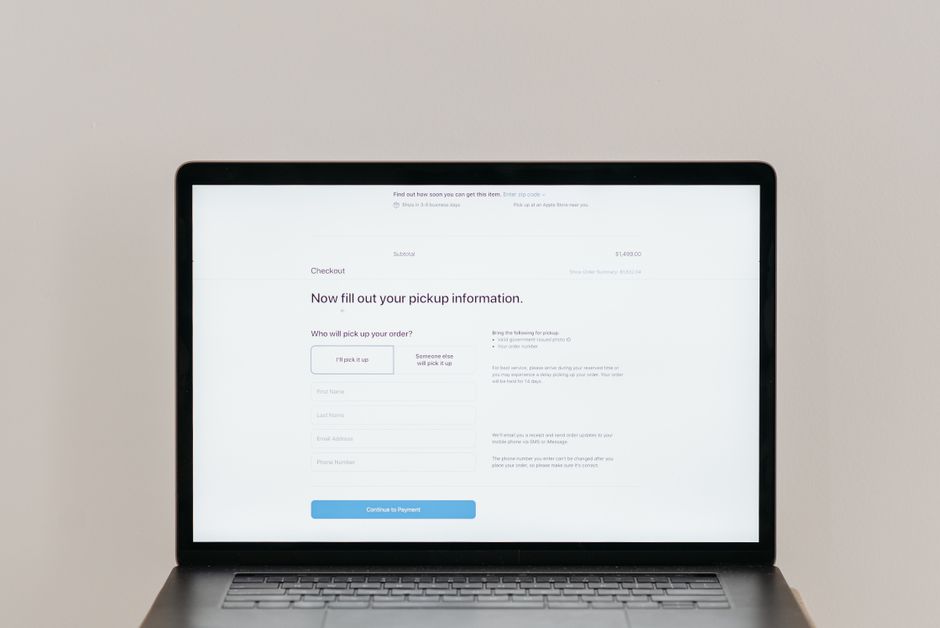
In most cases, no. Once you submit, the core fields — passport number, full name, nationality and date of birth — are locked, so an error in any of them cannot simply be edited. The standard remedy is to complete a new application with the right information and pay the fee once more.
This surprises people used to editable online forms. Travel authorisations are deliberately rigid because they feed border databases. The EU ETIAS入口網站 confirms the authorisation is bound to one passport. For a name issue specifically, see our passport name mismatch guide, and for wider slips, the application errors and fixes guide.
Imagine a traveller from Seoul who, once ETIAS is live, transposes two digits of her passport number, notices only after payment, and cannot amend it. She would have to submit a fresh form with the correct number and pay €20 again, even if the new application is approved in minutes — an avoidable double charge.
Which ETIAS errors cause the most trouble
The errors that cause real problems are those in data the border checks against your passport: a wrong passport number, a misspelled or mismatched name, an incorrect date of birth, or the wrong nationality. Any of these can leave your authorisation failing to match your document when you travel.
Smaller slips matter less. A mistyped email or phone number rarely stops you, though it can mean missing your confirmation. The EU entry and exit rules page underlines how tightly identity data is checked at the border, a point echoed in the EU guidance on who should apply. See what a rejection looks like in our denied or rejected guide.

| Error type | Severity | Typical fix |
|---|---|---|
| Passport number wrong | Critical | Reapply with correct number |
| Name misspelled | Critical | Reapply to match passport exactly |
| Date of birth wrong | Critical | Reapply; may also affect the fee |
| Email or phone typo | Minor | Often no reapplication needed |
What to do the moment you notice an error
Act quickly and calmly: check whether the field can be amended through the official portal, and if it cannot, submit a corrected application straight away. Because most approvals come within minutes, a same-day fix is often possible — but a manual review can take up to 30 days, so never leave it to your travel date.
- Confirm the exact error against your passport — note which field is wrong.
- Check the official portal for any amendment option before doing anything else.
- Reapply if needed, entering every detail exactly as printed in your passport.
- Keep both references so you can track which authorisation is valid.
Only ever act through official channels. Read how to spot fakes in our official versus third-party guide, and confirm the €20 charge in the 費用指南 before paying twice by accident.
專業提示: Copy your details straight from the passport’s machine-readable strip at the bottom rather than typing from memory. A father completing forms for three children late at night is exactly when a birth-year slip creeps in — reading directly off the document stops most errors before they happen.
Will you get a refund after an ETIAS application mistake?
Usually not. If you reapply because of your own error, the first €20 is generally non-refundable and you pay again for the corrected application. Refunds tend to apply only in narrow cases, such as a duplicate charge, which is why avoiding the slip in the first place is far cheaper than fixing it.
The money side stings most with families booking several people at once. The 歐洲委員會 set the €20 fee in July 2025. Learn when money can come back in our refunds and withdrawn applications guide, and how the fee works in the €20 cost breakdown.

Worried about filling in the form correctly, especially for older relatives or children? We are an independent assistance service, not a government body — once ETIAS launches, you will be able to apply directly on the official EU portal for €20, or let us check every field against each passport so a costly slip never reaches submission.
How to avoid an ETIAS application mistake
Prevention is simple and it is the only reliable protection: enter every detail exactly as it appears in your passport, double-check the passport number and spelling of your name, and review the summary screen before you pay. A calm five-minute check beats a repeat €20 fee and a border scare every time.
Method matters more than speed here. Applying while distracted is when digits get swapped. Use the 逐步申請指南 和更完整的 2026 walkthrough to follow each field in order. Applying by phone? Our mobile application guide shows the same care on a smaller screen.

- Read every field off the passport, not from memory, especially the number and name.
- Check the summary before paying — this is your last chance to catch a slip.
- Mind passport renewals — a new passport needs a new authorisation. See the passport renewal guide.
- Ignore scam sites that promise “edits” for a fee — read the fake websites warning.
常見問題
Can I fix an ETIAS application mistake after submitting?
In most cases no. Core fields such as your passport number, name, nationality and date of birth lock once you submit. The usual remedy is a new application with the correct details, which means paying the €20 fee again.
What happens if my passport number is wrong on ETIAS?
A wrong passport number is critical, because your authorisation is tied to that exact document. It may not match your passport at the border, so you should reapply with the correct number rather than risk being refused travel.
Do I have to pay again to correct a mistake?
Usually yes. Reapplying because of your own error means a second €20 charge, and the first payment is generally non-refundable. Refunds tend to apply only to narrow cases like a duplicate transaction, not to correcting a typo.
My name is spelled wrong on my ETIAS — is that a problem?
It can be. Your name must match your passport exactly. A misspelling or a mismatch between given and family names can cause issues at the border, so correct it by reapplying with the spelling shown in your passport.
Can I edit minor details like my email address?
Minor contact details such as email or phone rarely stop you travelling, though a wrong email can mean you miss your confirmation. Check the official portal for any limited amendment option, but never rely on editing critical identity fields.
How fast can I fix an error before I travel?
Often within minutes, since most fresh applications are approved quickly. However, some are held for review lasting up to 30 days, so correct any error as soon as you spot it rather than waiting until close to your departure.
Will an ETIAS error get my application refused?
An honest data error is more likely to create a passport mismatch than an outright refusal, but it still stops smooth travel. Serious inconsistencies can lead to a rejection, so accurate details from the start are the safest route.
Does a passport renewal count as a mistake I must fix?
No, but it has the same effect. Because your authorisation is linked to one passport, renewing it means your old ETIAS no longer matches. You simply apply again with the new passport, rather than treating it as an error.
資料來源和作者
由 europe-visa.eu 旅遊文件編輯 Anna Reinholt 撰寫,自 2017 年以來一直報導歐盟入境規則和 ETIAS 推出情況。本文章僅為一般性指導;我們是獨立協助服務機構,非政府機構。申請始終可直接在官方歐盟門戶網站上進行。
Last updated: 2026-08-05 — verified against the official EU ETIAS portal.
 English
  Shqip
Shqip  العربية
  Français
  ქართული
  עִבְרִית
  简体中文
简体中文  香港中文
香港中文  繁體中文
繁體中文  Español
  Português do Brasil
  日本語
日本語  한국어
한국어  Bahasa Melayu
  Українська
  Română
  Српски језик
  Türkçe